


Physical Security for Information Assets and Premises
Physical Security in Brief
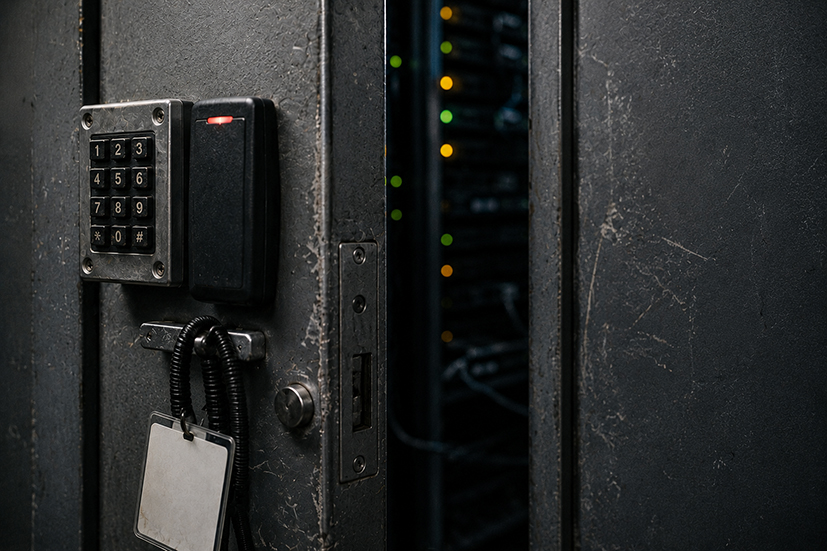
Premises security, server room access, clear desk and visitor management protect information at rest. ISO 27001 Annex A.7 covers the physical and environmental controls; what looks tightly controlled on screen can fall to a propped fire door.
Physical Security for Information
Physical security is the part of information security most people forget about until something goes wrong. The technical controls - encryption, access control, anti-malware - sit in front of the data. Physical controls sit around the data: locked doors, locked cabinets, locked screens, paper records that go through a shredder rather than into the recycling bin. The two work together. Strong technical security on a server in an unlocked cupboard is not strong security.
ISO 27001 Annex A 7 covers physical and environmental security in considerable detail, with controls running from secure perimeters through to disposal of equipment. The control set is written for organisations that have offices, server rooms, secure storage areas and the rest of a traditional physical footprint. Increasingly, organisations do not. The first useful question for any business is therefore: what physical environment do we actually need to secure?
Physical Security Principles
The traditional model has layers. The outer perimeter (the building or site boundary) limits who can approach. Internal perimeters (locked office doors, swipe-card areas, server rooms) limit who can reach particular spaces. Inside those, individual controls protect particular items - locked cabinets, secure storage, cable locks, alarms. The principle is defence in depth: any one layer can fail without the whole arrangement collapsing.
The other principle is matching protection to the value of what is protected. Bulk paper records and laptops left overnight need locked storage. Backup media held off-site needs storage that limits both unauthorised access and environmental risks like fire and flood. Servers holding business-critical or personal data need a separately controlled space. Most other office equipment needs only the protection of the building it is in.
Visitors and contractors are the most consistent gap in physical security. Someone signed in at reception, escorted to a meeting room, left alone for ten minutes, ends up wandering the corridors. The control is procedural - a sign-in process, escort requirements, badges that distinguish visitors from staff, areas where visitors are not permitted unaccompanied. The procedure does not have to be onerous, but it has to actually be applied.
Workstation Controls and Clear Desk
The clear desk and clear screen approach is the day-to-day workstation control. Confidential paper away in locked storage when the desk is not in use. Screens locked when the worker is away from the desk, with automatic locking after a short period of inactivity to catch the times someone forgets. No confidential information visible to passers-by - shoulder surfing in open-plan offices is a recognised vector, and so is leaving a screen visible through a meeting room window.
The point of clear desk and clear screen is not tidiness for its own sake. It is the assumption that anyone walking past the workstation - cleaner, contractor, visitor, colleague from another team - might see information they should not. The discipline applies across the board because the cost of getting it wrong is large and the cost of doing it right is small.
Paper handling has its own physical controls. Confidential paper is shredded or sent for confidential destruction rather than going in normal waste. Print jobs requiring confidential output use secure print release rather than printing immediately to a shared device. Documents being carried between offices or to client meetings are kept under direct control rather than left in cars or hotel rooms.
Physical Security and Remote-Only Organisations
The point that catches many organisations out at ISO 27001 certification is that the physical security controls still apply when the company has no central office. The controls do not disappear; they shift to where the information actually lives. A fully remote company with workers using company laptops at home has physical security obligations - they apply at the home, not at a non-existent office.
The practical question for a remote-only business is what physical security can reasonably be required of workers. The answer is usually a short list. The work area should not be visible to passers-by from a window. Devices should not be left where visitors can reach them. Confidential paper records should be kept in a lockable drawer or cabinet at home, or scanned and shredded. Devices should be locked when unattended, even at home. The home working risk assessment is where these expectations are documented and acknowledged.
For coworking spaces and serviced offices, the physical security is shared with the operator and a layer is added on top. Visitor screening, access controls and CCTV are typically the operator's responsibility. The organisation's own controls layer over them: not leaving devices unattended in shared kitchens, locking screens during breaks, not discussing confidential matters in earshot of other tenants.
Equipment Security and Disposal
Physical security overlaps considerably with the management of IT equipment, covered in our Managing Equipment and Premises section. From an information security perspective, the points that matter are: equipment is recorded in a register so the organisation knows what it has, equipment is protected from theft (cable locks, locked storage when not in use, controlled access to areas where equipment is left), and equipment is disposed of properly when no longer needed.
Disposal is the part most often neglected. A laptop sent to recycling without secure data sanitisation is a data breach waiting to be reported when somebody recovers files from the disk. A printer or photocopier sold or scrapped with internal storage still containing scanned documents is the same problem. The control is a documented disposal process - secure wiping or physical destruction for digital storage, certified destruction for confidential paper, and a record of what was disposed of and how.
Cabling, Power and Environmental Controls
The less visible part of physical security covers the supporting infrastructure. Network cabling that runs through public areas can be tapped or disconnected. Power supplies that fail without a UPS can cause data loss or corruption. Environmental conditions - temperature, humidity, water ingress - can damage equipment over time. For most ordinary offices these are low-frequency risks; for organisations that hold the equipment in their own server rooms, they are part of the routine controls.
Cloud-hosted services move much of this risk to the provider. The organisation's responsibility shifts from running the infrastructure to choosing a provider whose physical controls match the requirement, and to retaining the evidence (typically through the provider's certifications or assessment reports) that the controls are in place.
Physical security is the bit where ISO 27001 was written for organisations that look like the 1990s. Big offices, server rooms, locked cabinets full of tape backups. The controls themselves still make sense, but a virtual company has to translate them. What does "secure perimeter" mean if your perimeter is fifty homes spread across the country? It usually means a home working risk assessment, kit that is encrypted and locked when not in use, and a clear line on what cannot be done in coffee shops.
The physical security part of an ISO 27001 audit catches a lot of organisations off guard. They have done the technical work well and then realise they have not thought about the physical side at all. For an organisation with offices the questions are about access control, CCTV, cabinets and disposal. For a remote-only company they are about the home environment, the equipment register, and how the company knows where its devices physically are at any moment.
The disposal piece is consistently weak. Old laptops in a cupboard waiting to be dealt with, printers traded in to dealers with the hard drives still inside, USB drives written off without secure wiping. Physical security does not end at the perimeter; it ends at the point the equipment leaves the organisation for good.
We are a hybrid setup - a small office plus people working from home. The office side was easy enough: cabinets, alarmed doors, visitor sign-in, the usual. The home side took longer. We ended up with a one-page home working assessment that each remote worker signs annually, covering what they need to do in their own space.
Practical Compliance Guidance
The IMS1 manual covers physical security as part of the wider information security management section, with separate coverage of equipment and premises in the management of equipment section. The two views overlap - a locked cabinet is both an information security control and a piece of physical equipment management - and the registers cross-reference each other.
The following alphaZ documents support a practical approach to physical security for information.
| alphaZ document | How to use it |
|---|---|
| ISO 27001 Toolkit | Full document set for setting up an information security management system, including the physical security and clear desk policies. |
| P-23 Clear Desk and Clear Screen Policy | Policy covering clear desk and clear screen requirements, with practical expectations for both the office and home working environments. |
| A-C P31 Information Security IT Equipment and Physical Security | Audit checklist covering IT equipment and physical security controls, used to verify that the policies are operating as intended. |
| P-36 Home Working Policy | Policy covering home working including the physical security expectations that apply when working from a home environment. |
| F-Q112 Visitor Register | Visitor sign-in and sign-out register used to record who has been on site, when, and who escorted them. |
| PP-7-24 Site Visitors and Contractors Procedure | Procedure covering how visitors and contractors are received, inducted, escorted where required, and signed out. |
| F-IMS32 Equipment Premises Register | Register of equipment and premises covering location, ownership and the physical security controls in place. |
| PP-8-100 Information Security Policy Procedure | The master policy that sets out the physical security and clear desk sections referenced from the standalone policies above. |
Note - all the above files can be downloaded with an alphaZ subscription.
Frequently Asked Questions
UK Legislation
The following UK legislation is directly relevant to physical security for information. Organisations outside the UK should identify the equivalent legislation applicable in their jurisdiction.
